Log In to PerksPe
Access your PerksPe portal to manage perks, track expenses, and view your digital rewards.
Login Methods
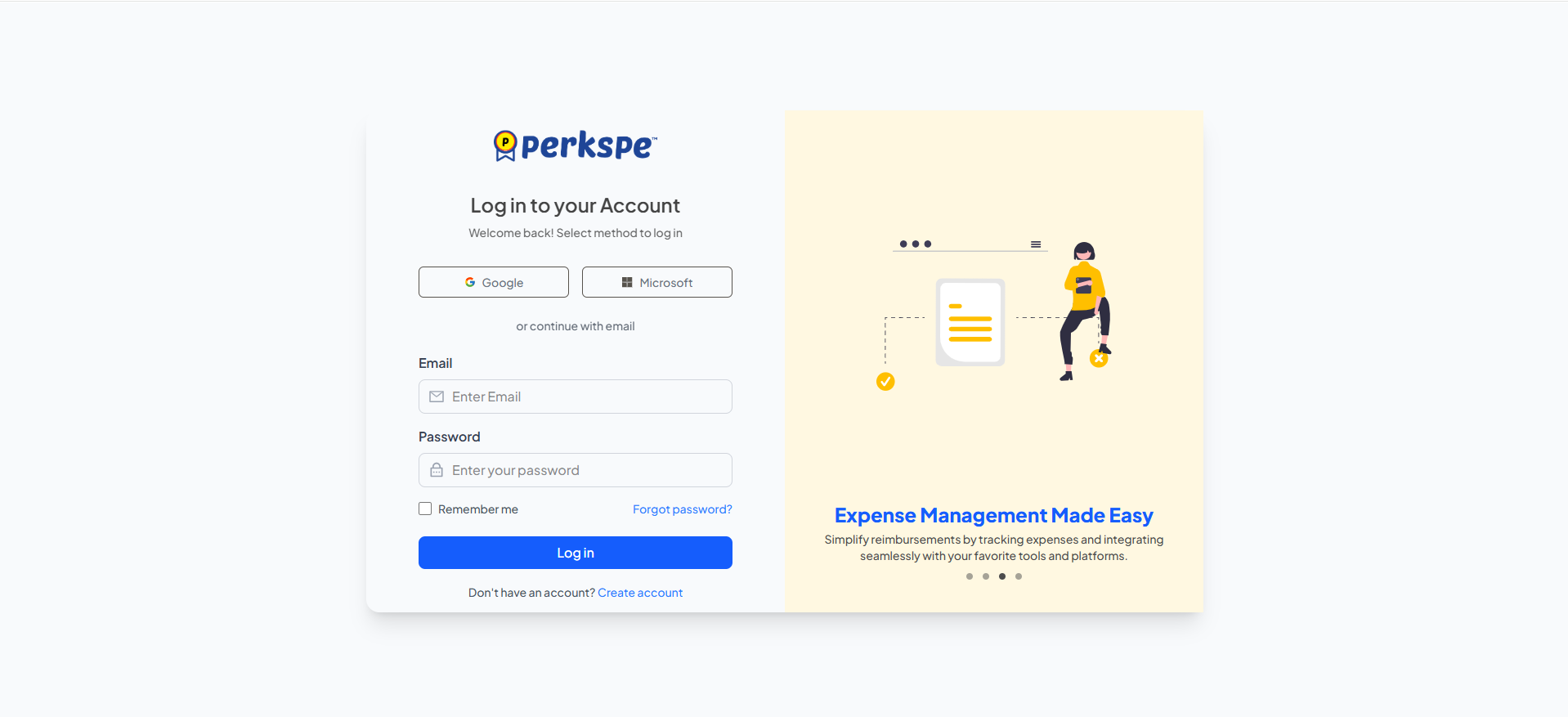
The PerksPe login page offers multiple methods for users to access their accounts:
✉️
Email & Password
Log in securely using your registered email and password.
🌐
Single Sign-On (SSO)
One-click login using your Google Workspace account (Coming soon).
New to PerksPe?
If your organization hasn't registered yet, click the "Create Account" link to get started.
Troubleshooting
Resetting a Forgotten Password
If you forget your password, you can securely reset it in a few quick steps.
1
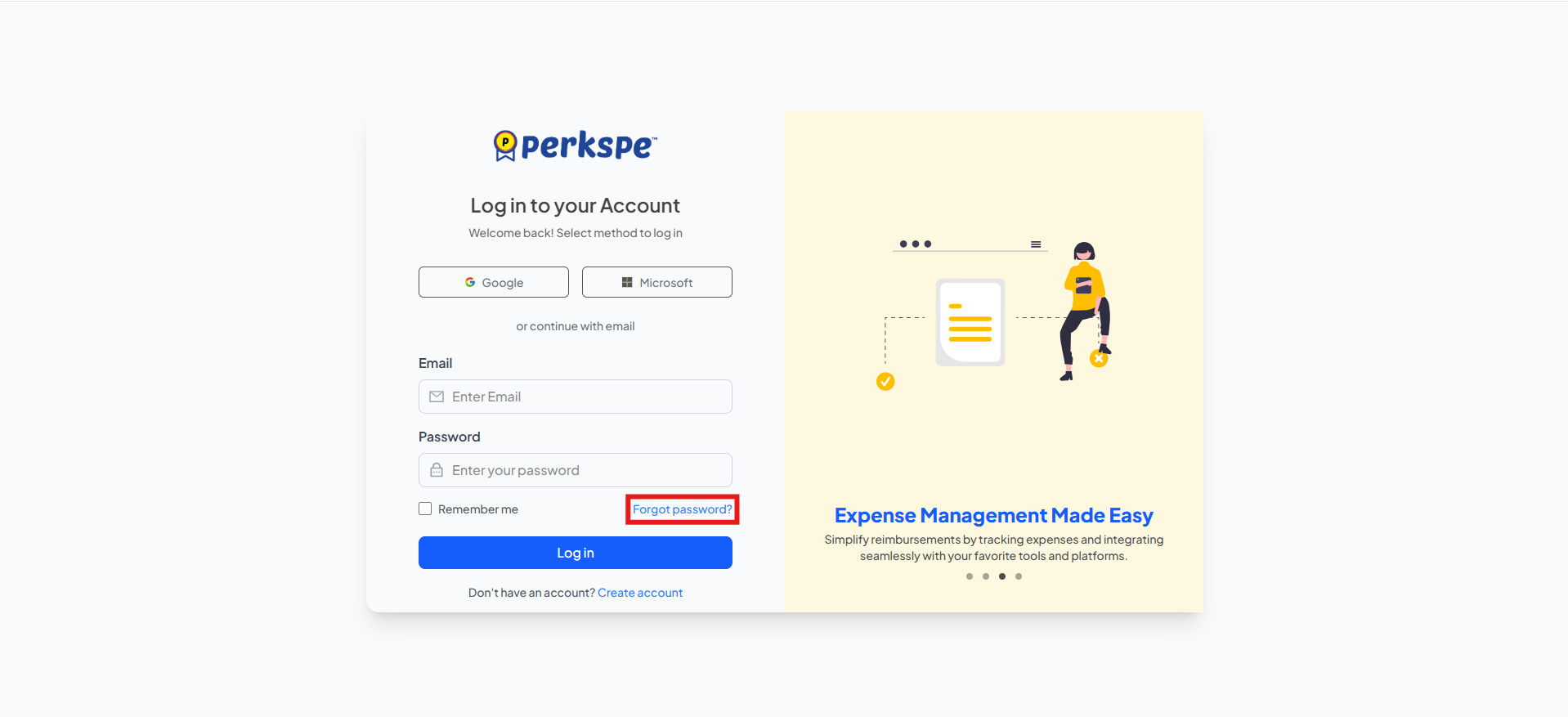
Initiate ResetClick the "Forgot password?" link on the login page.
2
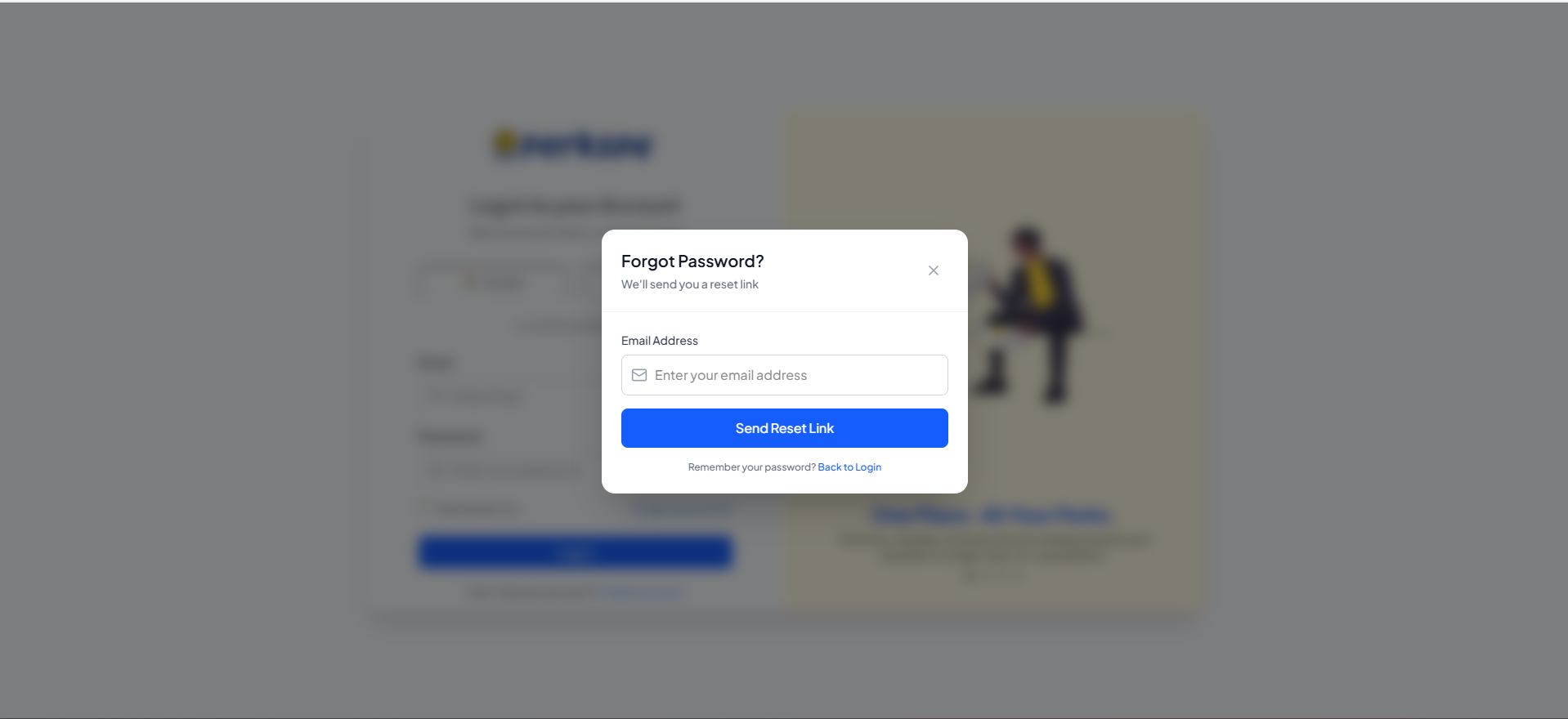
Request Reset LinkEnter your registered email address and click "Send reset link".
3
Check EmailClick the secure link sent to your inbox to set a new password.
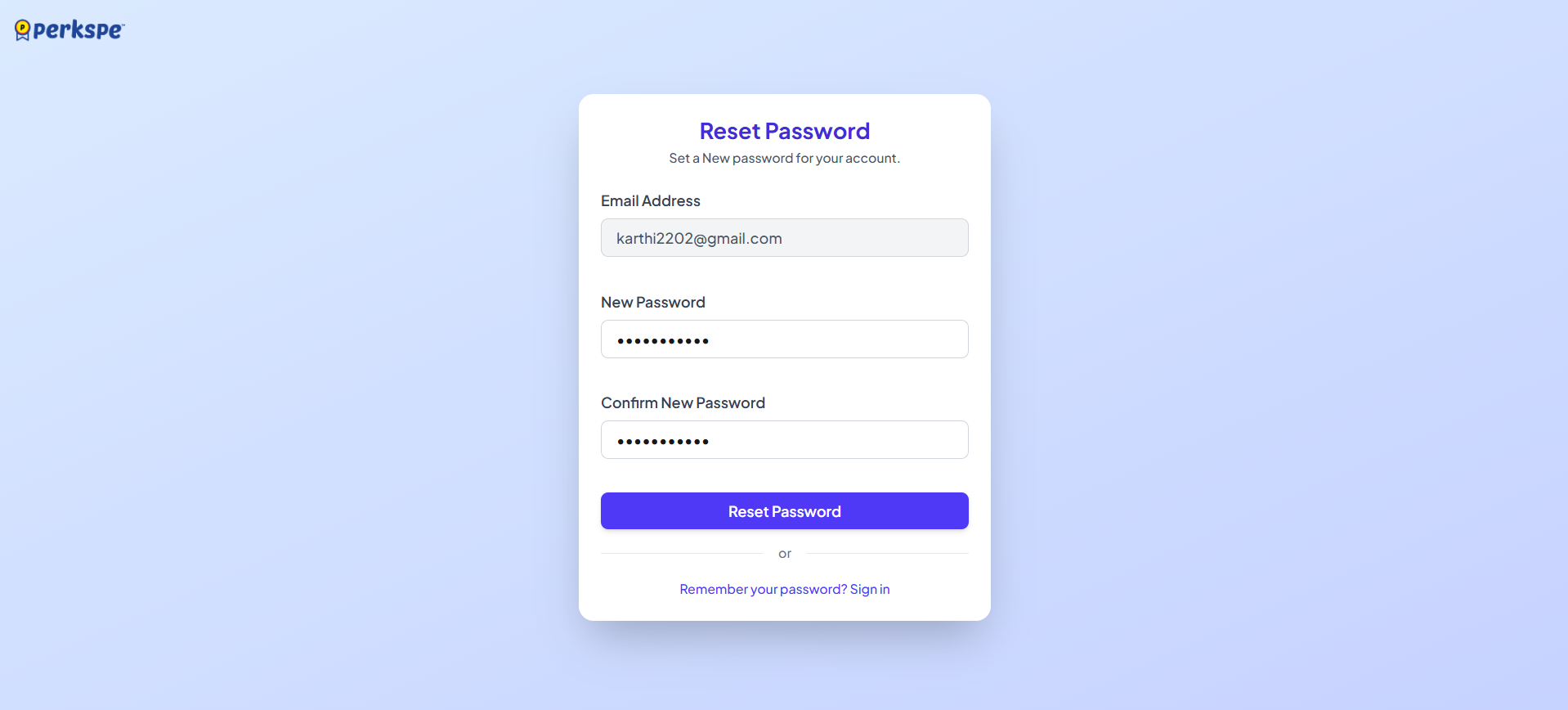
After resetting your password, you will be automatically redirected to the login page to access your account with your new credentials.